Google Search Console Now Tells You When Google's AI Includes Your Pages
Search Console now reports how often your site appears in Google's AI Overviews and AI Mode. Where to find it, what it does and doesn't tell you, how to get the data out without an API, and how we track it for clients.
Google now reports search metrics for its AI Overviews.
Google first announced the reports in its post Introducing Search Generative AI performance reports in Search Console (June 3, 2026). Initially, the reports only went to some sites. Google has since added a note to the post: “As of August 31, 2026, we’ve rolled out these insights to all websites worldwide.”
So if you have Search Console set up for your website, you have this report now.
Where to find it
In Search Console, the report is in the left sidebar under Performance → Search results → Generative AI. It’s marked Beta. It looks just like the image in Google’s announcement:
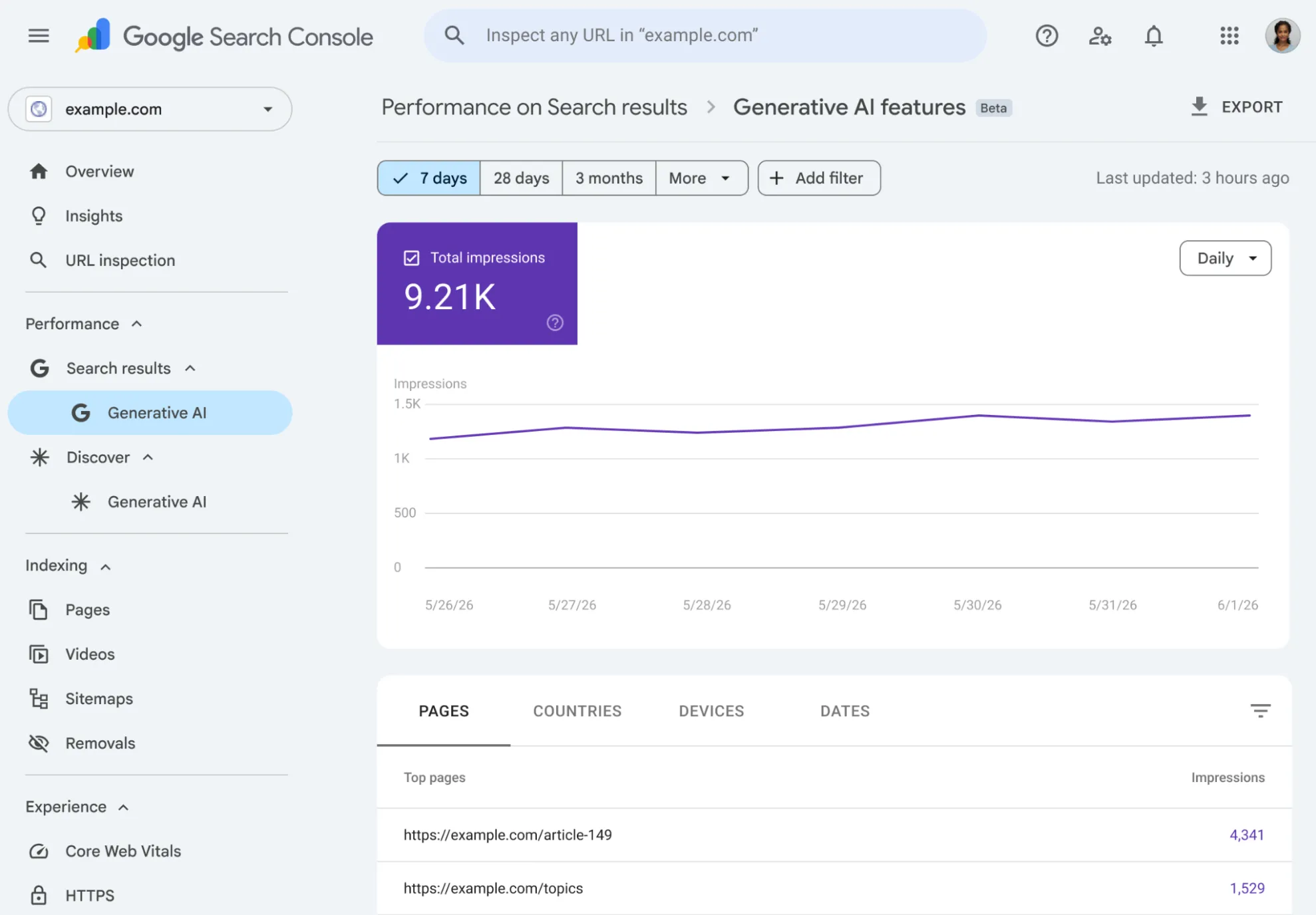
Nothing new is being counted. These impressions were already in your regular Performance report. The new report just pulls them out so you can see them on their own.
What it shows
One number: impressions. That’s how often a page from your site appeared in an AI Overview or an AI Mode answer.
You can break it down by:
- Pages: which of your pages showed up
- Countries
- Devices: desktop, mobile, tablet
- Dates: hourly, daily, weekly or monthly
What it doesn’t show
This is where it’s thinner than the regular report:
- No clicks, click-through rate or position. Only impressions.
- No search (or prompt) terms. You can’t see what request brought up the AI answer that you were a part of.
- AI Overviews and AI Mode are one number. You can’t tell them apart.
So it tells you whether Google’s AI is showing your site, and which pages. It doesn’t tell you what people searched for. An impression means your page appeared in an AI answer. It doesn’t mean the AI recommended you over a competitor.
Google says it may add “additional metrics over time.” Don’t expect search terms, though. AI answers respond to prompts, not keywords. The closest thing Google could add is the prompt, and even that is hard to report, because an AI answer often depends on the earlier turns of the conversation.
No API yet, so you have to download it
Search Console has an API that tools use to pull your data automatically. The AI report isn’t in it. We checked: the API has no option for AI search data. If a tool says it pulls your AI Overview numbers from Search Console automatically, it isn’t using the official API.
For now the only way to get the data out is to download it:
- Open the Generative AI report.
- Pick a date range. We use 3 months.
- Click EXPORT, then Download CSV.
You get a zip with five files: daily impressions, pages, countries, devices, and the filters that were on.
Things to watch for
We built a pipeline around these exports this week and ran into a few things:
- Page numbers add up to more than the total. One AI answer can show several of your pages at once, so each of them gets an impression. Don’t add the page rows together.
- The same page can show up twice, like
/aboutand/about/. Count them as one page. - Filters carry into the download. If you had a filter on (one page, one country, mobile only), the export only covers that slice, not your whole site.
- Small businesses get small numbers. One local client had 78 AI impressions over 68 days, spread across 11 pages. Day by day that’s mostly zeros. Weekly totals make the trend easier to read.
- Search Console doesn’t keep data forever. The regular report keeps 16 months, and without an API there’s no other copy. If you want a long history, you have to download it regularly.
Why it matters for local businesses
This is the first count of AI visibility that comes from Google itself.
Until now, “AI rank trackers” have been the only option. They type sample questions into AI tools and record what comes back. That’s an estimate. This report counts the times your site appeared in Google’s AI answers for real searches.
What we do for clients
At Search Upside we’ve started downloading this report for clients once a month. Each download covers 3 months, so the ranges overlap and the history has no gaps.
We load it into the client’s dashboard, where an AI Search tab shows whether Google’s AI Overviews are featuring them:
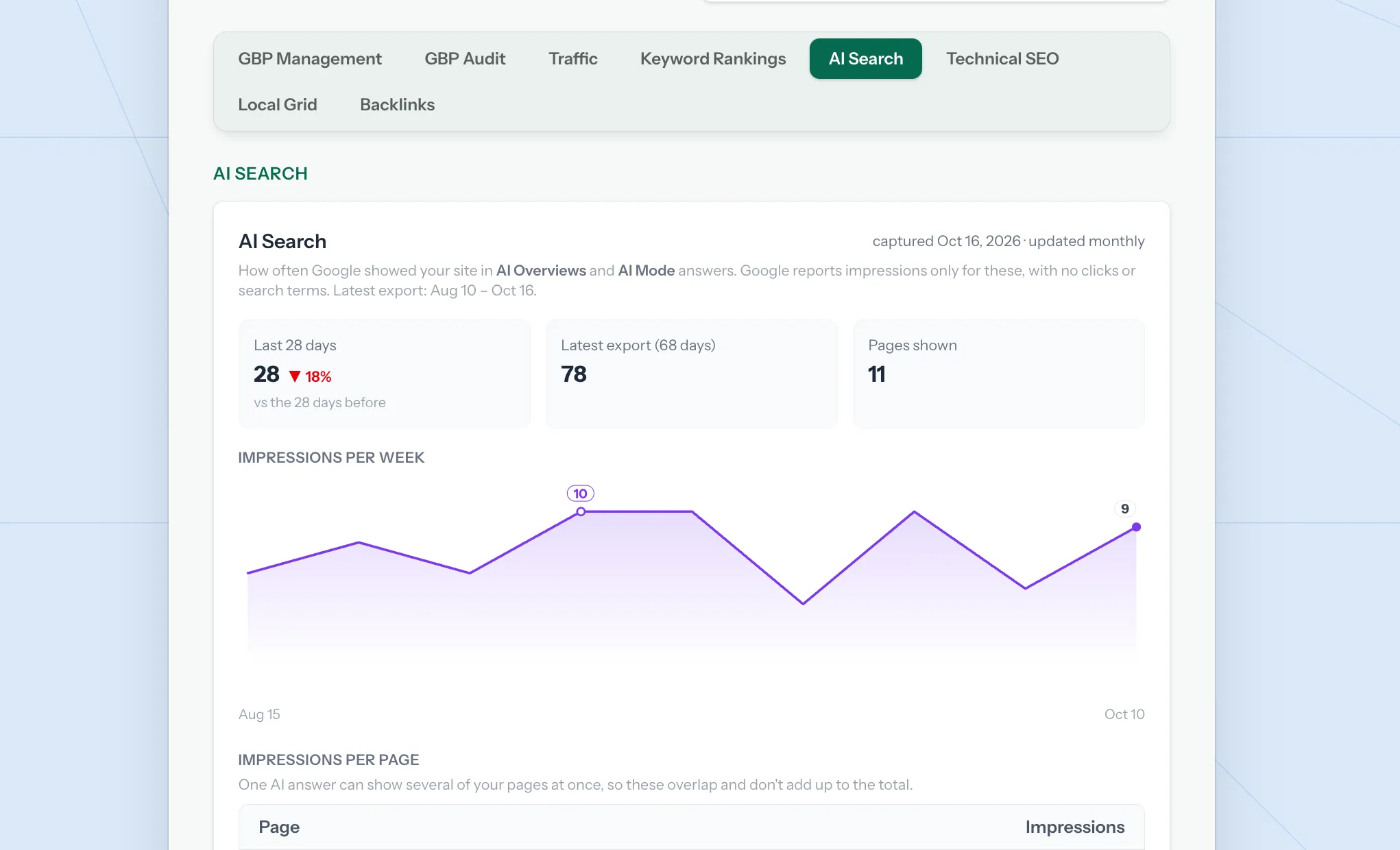
The tab shows:
- The last 28 days compared with the 28 days before
- Impressions per week
- Impressions per page (marked as overlapping, since one answer can show several pages)
- When the data was captured, so you know how fresh it is
When Google adds this report to its API, we’ll switch to pulling it automatically every day.
Want to know if Google’s AI is showing your business?
If you’d like to see how often Google’s AI answers feature your website, along with your Google Business Profile, rankings and traffic in one place, let’s talk.